




AW8 App – Download for Android and iOS in Singapore and Malaysia
Register now
The AW8 App gives mobile users access to casino games, sports betting, payments, promotions and account tools from a smartphone or tablet. AW8 currently promotes mobile access for Malaysian players through an Android download and an iOS-style Home Screen installation method. Users can also open the mobile website without installing additional software. The situation is different in Singapore. AW8 should not be presented as a licensed remote gambling operator there. Singapore’s Gambling Regulatory Authority states that Singapore Pools is the only operator licensed to provide remote gambling services, and participating in unlicensed remote gambling is an offence.

AW8 Mobile App Overview
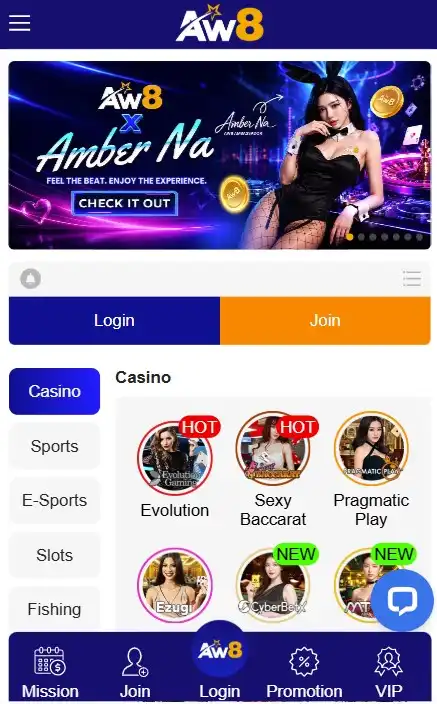
The AW8 mobile platform is designed to bring the main account functions to smaller screens. A registered user can access casino categories, sports betting, promotions, payments and account settings without returning to a desktop computer.
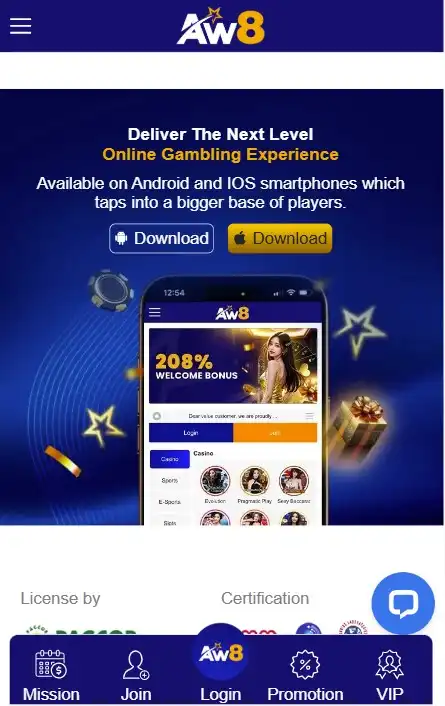
AW8’s current Malaysia-facing site directly advertises an Android application, while another AW8 page provides an iOS method based on adding the service to the Home Screen.
Main Features of the AW8 App
The mobile version focuses on the same main areas available through the wider platform.
| AW8 Mobile Feature | What It Provides |
| Account access | Login with an existing AW8 profile |
| Casino games | Mobile slots, table games and live casino content |
| Sportsbook | Pre-match and live betting markets |
| Payments | Deposits and withdrawals through available account methods |
| Promotions | Access to current bonuses and player offers |
| Mobile interface | Navigation adapted to smartphone screens |
| Account tools | Balance, settings and transaction-related functions |
| Support | Access to customer assistance |
Exact functions can change when AW8 updates its mobile platform.
AW8 App for Singapore and Malaysia Users
AW8 actively maintains Malaysia-facing pages and mobile content. Its current Malaysian site promotes Android access and states that its customer-support team operates 24 hours a day.
Singapore users need to consider local restrictions. The Gambling Regulatory Authority says it is unlawful to provide unlicensed remote gambling to people situated in Singapore and that Singapore Pools is the only licensed remote gambling operator. Singapore also blocks access to unlawful gambling services and related payment transactions.
How to Download the AW8 App
The download method depends on the device. Android users have a dedicated mobile download route, while iPhone users may access AW8 through Safari and create a Home Screen shortcut.
AW8 App Download for Android
AW8’s current Malaysian website displays a Download With App Android option.
A typical Android process is:
- Open the AW8 mobile page from the Android device.
- Select the Android download option.
- Allow the file to finish downloading.
- Open the installation package.
- Follow the Android installation prompts.
- Launch AW8 and enter the registered account details.
Users should download the installation file only through the AW8 source they normally use and avoid modified APK files distributed through unknown websites or messages.
AW8 App Download for iPhone and iPad
AW8’s Malaysia-facing iOS instructions describe a browser-based method. The user opens AW8 through Safari, taps the Share button and selects Add to Home Screen.
This creates an AW8 icon on the iPhone or iPad and provides faster access without necessarily installing a conventional App Store application.
How to Install the AW8 App
Installation is slightly different on Android and iOS because the operating systems handle mobile applications differently.
Installing AW8 on Android Devices
After downloading the AW8 Android package, open the file and follow the installation instructions shown by the phone.
Android may ask for permission to install software downloaded through the browser. This is a standard Android security control for files obtained outside a conventional application store.
Users should confirm that the file came from the intended AW8 source before approving installation.
Installing AW8 on iOS Devices
AW8’s current iOS-oriented instructions focus on Safari rather than a traditional installation package.
Open the mobile platform in Safari, use Share and select Add to Home Screen. Once saved, AW8 can be launched from the icon in a similar way to a standard mobile web app.
Allowing Required App Permissions
Applications may request access to certain device functions. Players should read each permission request instead of accepting everything automatically.
A gambling application should not be given unrelated access simply because installation asks for it. If a permission appears unnecessary, users should review it through the phone’s settings.
On Android, installation permission should only be enabled for the browser or file source actually used to obtain the legitimate app.
AW8 App System Requirements
AW8’s current primary Malaysian pages do not publish a clear universal specification for minimum RAM, storage, Android version or iOS version.
For that reason, fixed technical requirements from third-party pages should be treated cautiously.
Android Device Requirements
A compatible Android smartphone needs to support the current AW8 mobile software and the installation method offered on the AW8 page.
AW8 currently promotes an Android download but does not clearly publish a verified minimum Android operating-system version on that main page.
Users should therefore rely on any compatibility message displayed by their device during installation.
iOS Device Requirements
For iPhone and iPad users, the Safari-based method requires a device capable of opening the current AW8 mobile website and adding it to the Home Screen.
Because AW8 uses a browser-based installation route in its published iOS instructions, compatibility depends partly on Safari and the current mobile site rather than a traditional native app alone.
Storage and Internet Connection Requirements
Android installation requires enough free storage for the application package and its associated data.
Browser access normally uses less permanent storage, although cache and website data can still accumulate over time.
A stable connection is particularly important for live casino streams and live sports betting because both depend on frequent real-time data updates.
How to Use the AW8 App
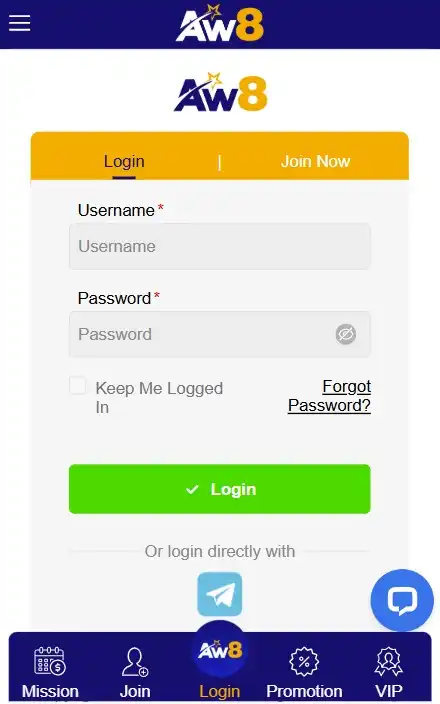
After installation or opening the mobile site, users can sign in with their existing AW8 credentials.
Logging In to Your AW8 Account
AW8 states that registered users can access their account using the username and password created at signup.
Existing members should normally use their original profile instead of registering again simply because they have moved to a mobile device.
If the password has changed, saved login information should be updated so the phone does not continue entering an old password.
Navigating the Mobile Interface
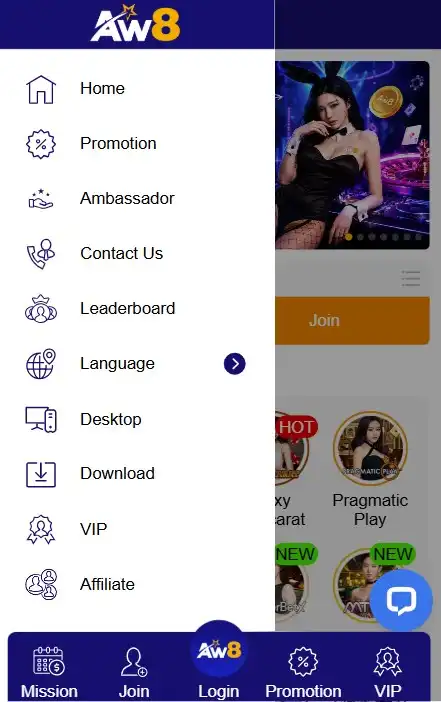
The mobile interface reorganises menus for touchscreen use. Main areas such as games, sports, payments and account functions are presented in a format designed for smaller screens.
Touch navigation can make it quicker to switch between casino products and the sportsbook, although exact menu placement can change with interface updates.
Accessing Casino and Betting Sections
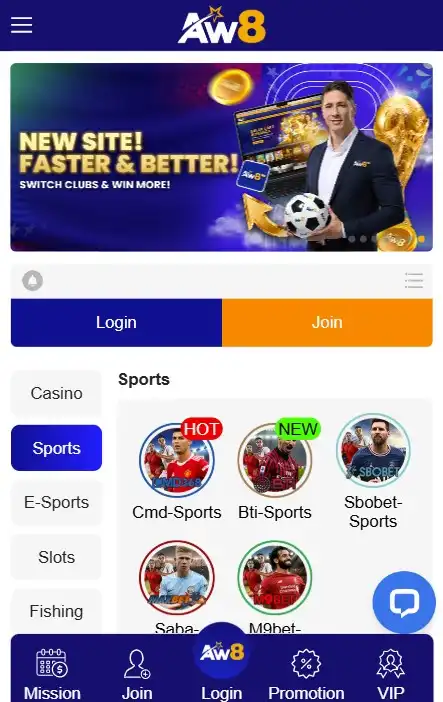
AW8 combines casino and sports betting under the same account.
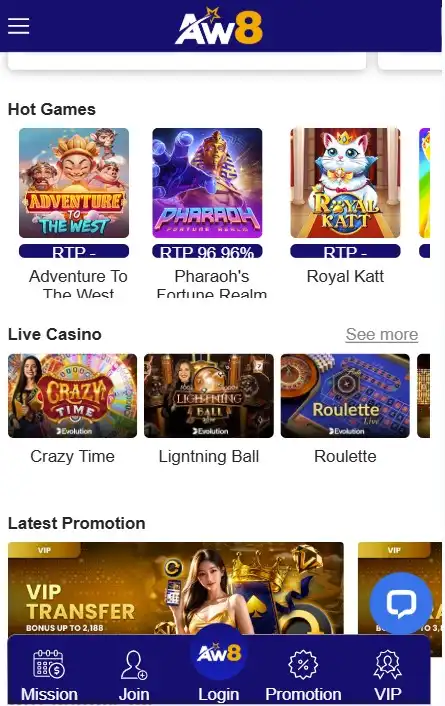
Mobile users can open slots, live casino products and sports markets without maintaining separate usernames or balances for each section.
Current AW8-related Malaysian pages promote both casino and sports products as part of the same mobile ecosystem.
AW8 App Features
The main advantage of mobile access is that account functions can be managed without returning to a computer.
Deposits and Withdrawals on Mobile
AW8’s current Malaysian site displays regional banking and payment providers as part of its mobile-facing service.
Users can generally open the cashier, select an available method and follow the instructions presented for that account.
Payment availability and transaction limits can vary, so users should rely on the live cashier rather than an old external payment list.
Promotions and Account Notifications
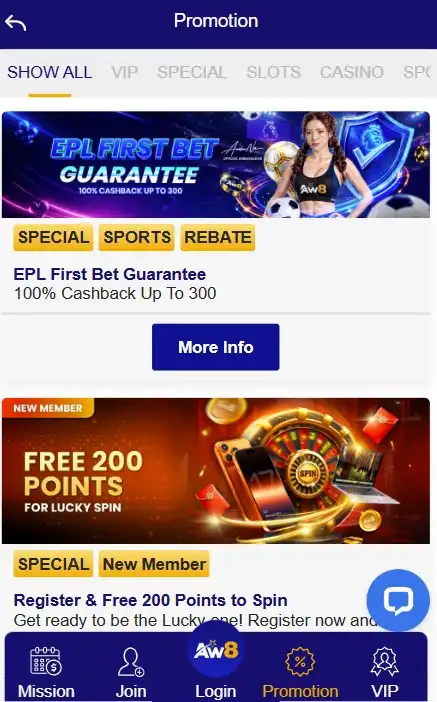
Mobile users can open AW8 promotional pages and view current bonuses.
Promotions may include welcome offers, reloads, rebates or VIP-related benefits. Current AW8 Malaysia material also promotes daily rebates and VIP rewards.
Users should review wagering requirements and expiry rules before activating any offer.
Live Games and Sports Betting on Mobile
Live casino games require continuous video streaming, while live sports betting requires rapidly updated odds and market information.
A strong connection therefore matters more for these products than for browsing static account pages.
Mobile users should also check the final accepted odds before confirming a sports wager because in-play prices can move quickly.
AW8 Mobile Website vs App
Both formats provide smartphone access, but they work differently.
Differences Between Browser and App Access
The Android app installs dedicated software on the phone. Mobile browser access runs through Chrome, Safari or another supported browser without requiring the same type of installation.
AW8’s iOS approach also blurs the distinction between the two because its published instructions allow users to save the website to the Home Screen and launch it like a web application.
When to Use the Mobile Website
The browser can be a practical choice when the user does not want to install software or is accessing AW8 only occasionally.
It can also help when an app fails to update or does not open correctly.
Users should still check that they are using the expected AW8 page before entering credentials.
Updating the AW8 App
Mobile software needs periodic updates for compatibility, interface changes and technical fixes.
How to Install the Latest Version
Android users should return to the trusted AW8 mobile download page and follow any update prompt presented there.
If the platform supplies a newer Android package, download it from the same recognised source rather than searching random APK repositories.
Safari-based iOS access generally receives website-side changes without requiring the same manual update process as a native package.
What to Do If the App Does Not Update
First check the internet connection and available phone storage.
Android users can close the application, restart the device and try the verified update route again. If an old installation package is incomplete, deleting that failed download before restarting may help.
Users should contact AW8 support if the problem continues rather than repeatedly installing files from different sources.
AW8 App Problems and Solutions
Most mobile problems involve installation, loading, credentials or connectivity.
App Not Installing
An Android installation can fail because storage is low, installation permissions are blocked or the downloaded file is incomplete.
Check that enough storage is available, confirm the file source and review the browser’s installation permission.
Users should not disable broad security controls permanently just to install one application.
AW8 App Not Opening or Loading
If AW8 does not open, restart the app first. Then check the internet connection and restart the phone if necessary.
A browser can provide an alternative way to access the account while diagnosing an app problem.
AW8 currently states that its customer-support team is available 24 hours a day on its Malaysian service.
Login and Connection Issues
Incorrect credentials, saved old passwords and unstable connections can all prevent normal access.
Enter the username and password manually, particularly after a password reset. If the account appears restricted or valid credentials continue to fail, customer support is more appropriate than creating another account.
AW8 App Security
Mobile security involves both the download source and the user’s own account habits.
Safe App Download and Installation
Users should download AW8 only through the platform source they recognise.
Unknown APK websites, modified application packages and download links sent through unsolicited messages create unnecessary security risk.
AW8’s current Malaysian site displays security services including Iovation and ThreatMetrix and states that customer information is handled confidentially.
Protecting Your AW8 Account on Mobile
Use a password that is not reused for email, banking or social media.
Protect the phone with a PIN, password or biometric lock, and log out when using a shared device.
Players should also avoid keeping sensitive login information in screenshots or unsecured notes. If unfamiliar account activity appears, change the password and contact support promptly.
Frequently Asked Questions About the AW8 App
Yes. AW8’s current Malaysia-facing website directly provides an Android application download option.
AW8 provides an iOS-oriented access method through Safari. Its instructions tell users to open the site, tap Share and select Add to Home Screen.
Use the AW8 mobile page associated with the account or regional service you normally use. Avoid downloading APK or installation files from unrelated third-party sources.
Current AW8 pages present mobile downloading and access without listing a separate installation charge. Users may still incur normal mobile-data or internet costs from their network provider.
Yes. Mobile browser access provides an alternative to installing dedicated software, and AW8’s iOS instructions specifically support a Safari-based Home Screen method.
Check the internet connection, restart the application and device, verify that the latest trusted version is being used and try mobile browser access. If the problem is account-specific or continues after basic troubleshooting, contact AW8 customer support.